 ®
Knowing how to update WordPress safely has never mattered more. Everyone knows updates are important. But a security issue in the news this month shows that the update process itself can be a moment of risk, and that the way you update deserves as much attention as whether you update at all.
What happened
A flaw in the way WordPress updates itself, tracked as CVE-2026-119977, affects WordPress versions 4.7 through 7.1.3. It’s a timing problem (known as a race condition) in the core updater, rated 8.1 out of 10, and an attacker doesn’t need an account on the site to try it. WordPress fixed it in version 7.1.4, with matching fixes for older versions.
Attackers moved quickly. Security firm Wordfence recorded more than 18,500 attack attempts in the first 21 hours after the details became public, and on November 3 the US government’s cybersecurity agency, CISA, added it to its list of vulnerabilities confirmed to be exploited in the wild.
The twist: the update moment itself
Here’s the part most site owners miss. While WordPress installs an update, it briefly unpacks a copy of the new files into a temporary folder on your server, and that copy includes the WordPress installer. On many servers, that folder can be reached from the web. The attacks seen so far target exactly these temporary installer files.
As The Hacker News reported, this means some sites can be exposed one last time while installing the very fix for this flaw. The fix is still essential. But it’s a clear example or process to update wordpress safely , not just the update, matters, and why every site owner should know how to update WordPress safely.
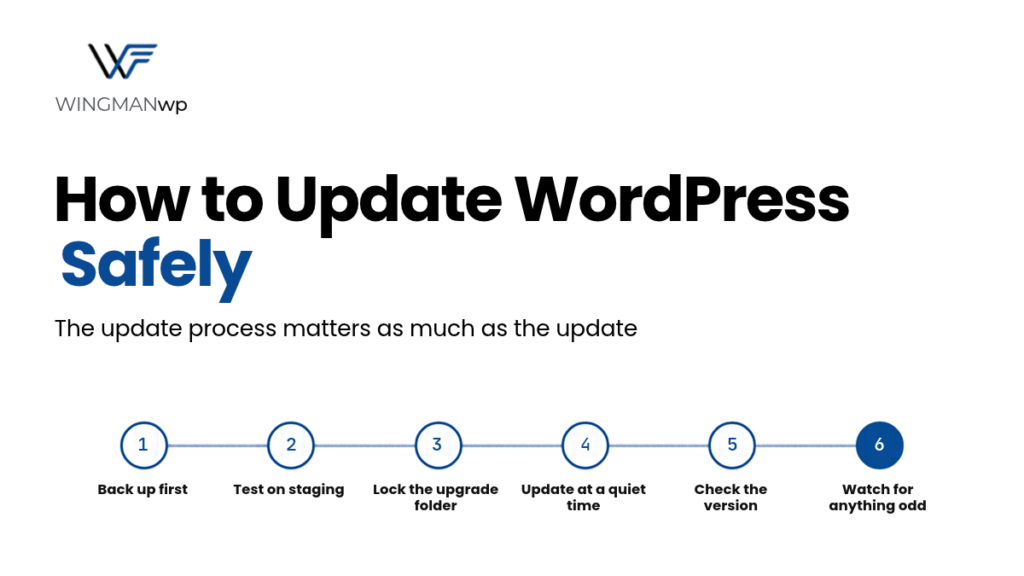
How to update WordPress safely: 6 steps
- Take a backup first, and know it works. Before any update, make a full backup of your files and database. A backup you’ve never tested restoring is a hope, not a plan.
- Test on staging. Apply the update to a copy of your site first. Check your key pages, forms, checkout and login. If something breaks, it breaks where customers can’t see it.
- Close off the temporary update folder. For this specific flaw, security researchers advise blocking web access to the wp-content/upgrade/ folder before updating. Your host or developer can do this with a simple server rule. It’s a good long-term habit too, since that folder never needs to be reached from a browser.
- Update at a quiet time, one thing at a time. Pick a low-traffic window and apply critical security updates first. Updating everything in one click makes it hard to tell what caused a problem.
- Check the result, not just the message. Afterward, confirm the exact version number in your dashboard (for example, 7.1.4), then click through your most important pages. A “you’re up to date” message isn’t proof that the update is fully completed.
- Watch for anything unusual. Over the next few days, look out for unfamiliar admin accounts, unexpected file changes or odd traffic, especially if your site wasn’t updated straight away.
What about automatic updates?
Automatic updates are great for getting security fixes onto your site quickly, and for most sites they should stay switched on for minor WordPress releases. But they aren’t a full process on their own. They don’t test your site first, don’t block the temporary folder, and don’t check that your checkout still works afterward. Knowing how to update WordPress safely means pairing automatic updates with backups, monitoring and a quick check after each one.
How WingmanWP can help
At WingmanWP, every update for the sites we manage follows a set process: backup, staging test, a planned release window, checks afterward and ongoing monitoring. We know how to update WordPress safely because we do it every week, and it’s the difference between hoping an update goes well and knowing it did.
Want to update wordpress safely process for your site? Talk to WingmanWP and we’ll check your current version and show you how we’d handle your updates.
Sources: CISA Confirms Hackers Exploiting WordPress Core Flaw (The Hacker News), Installing the Fix Can Expose Some Sites One Last Time (The Hacker News)
 Ayesha UmarWritten by